How It Works
- Click the Batch Uploads button in the sidebar to view all your uploaded recipient lists.
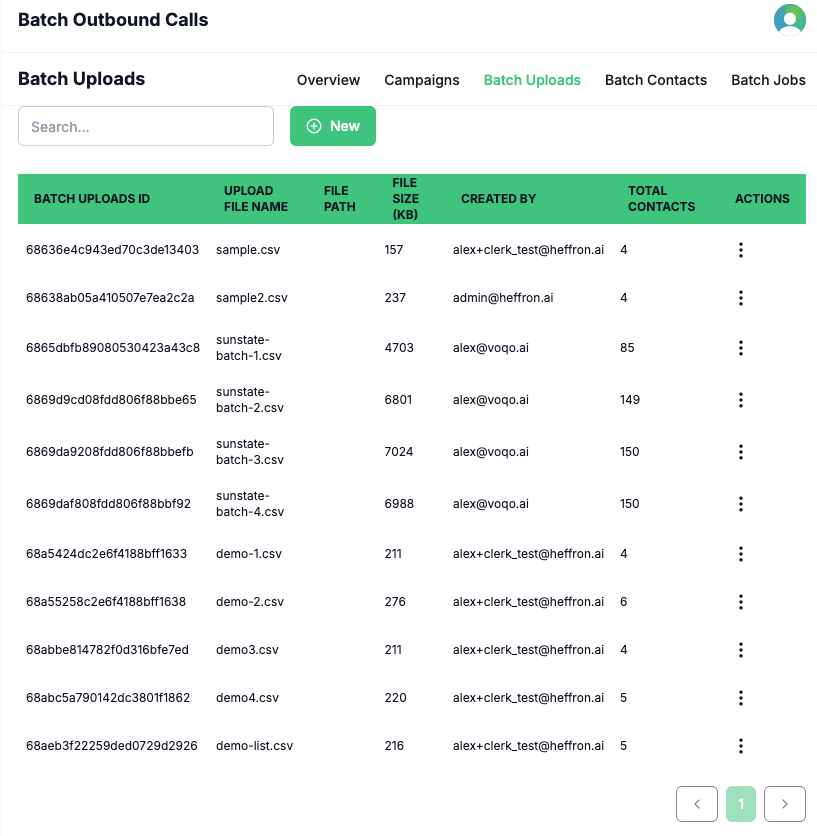
- To add a new upload, click the New/Add option in the three-dot action menu.
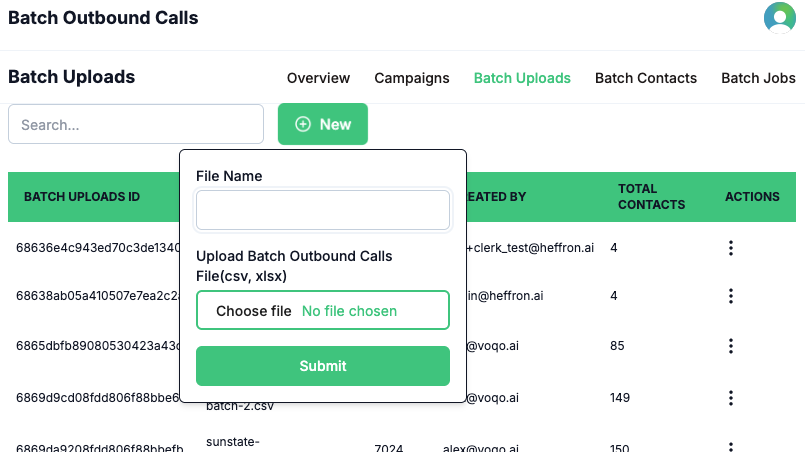
- Enter a name for your upload (it is recommended to use a unique name that matches the uploaded file, including the extension, e.g.,
list1.csv,list2.xlsx).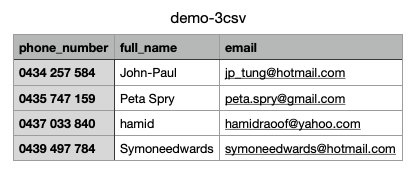
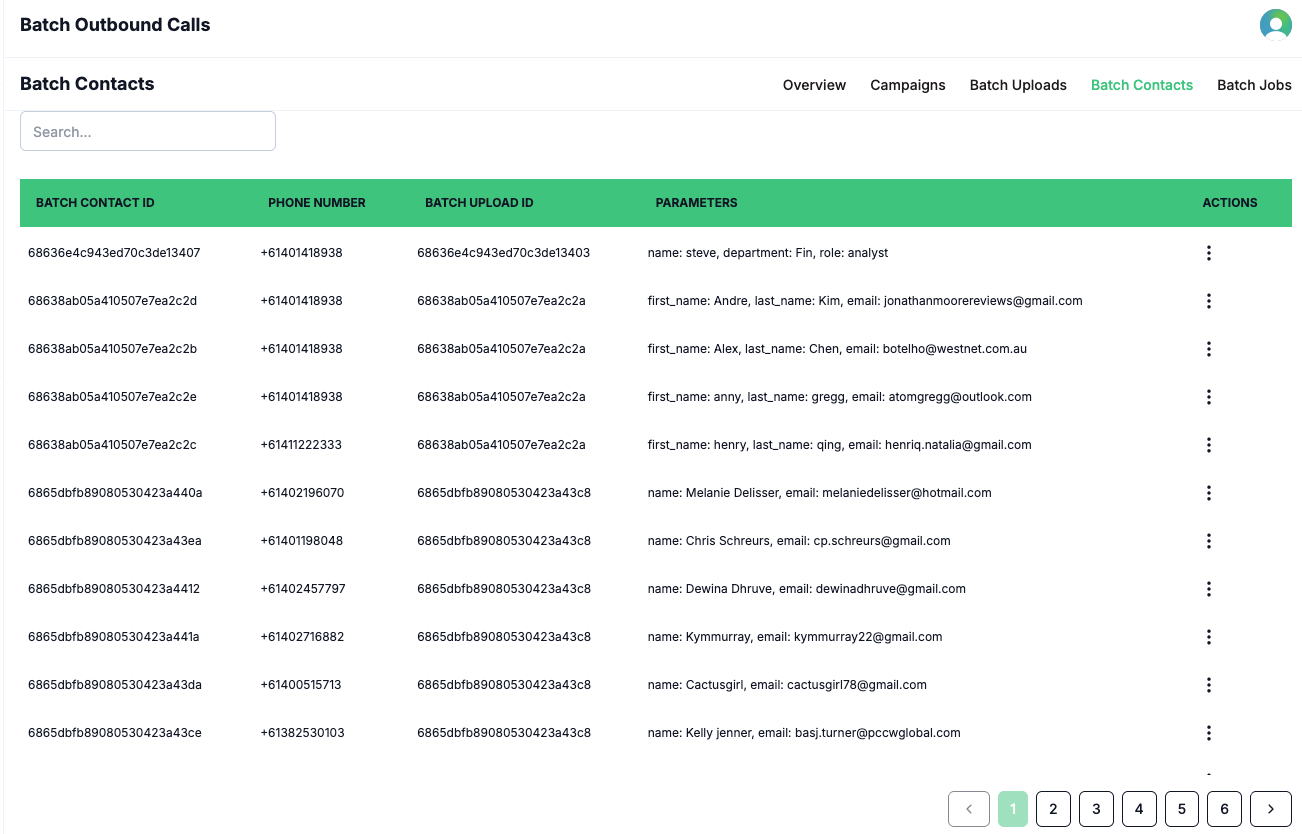
title: ‘Batch Contacts’ description: ‘View all contacts included in your batch uploads for outbound calling campaigns in Voqo AI.’
The Batch Contacts page provides a comprehensive view of all contacts included in your uploaded recipient lists for batch outbound calls. This page is designed for easy reference and review—no manual operations are required here. You can see detailed information for each contact, including dynamic parameters such as name, department, job position, and any other fields included in your upload. This helps ensure your campaigns are well-organized and that each recipient’s information is accurate and ready for personalized outreach.