

Prompt Templates
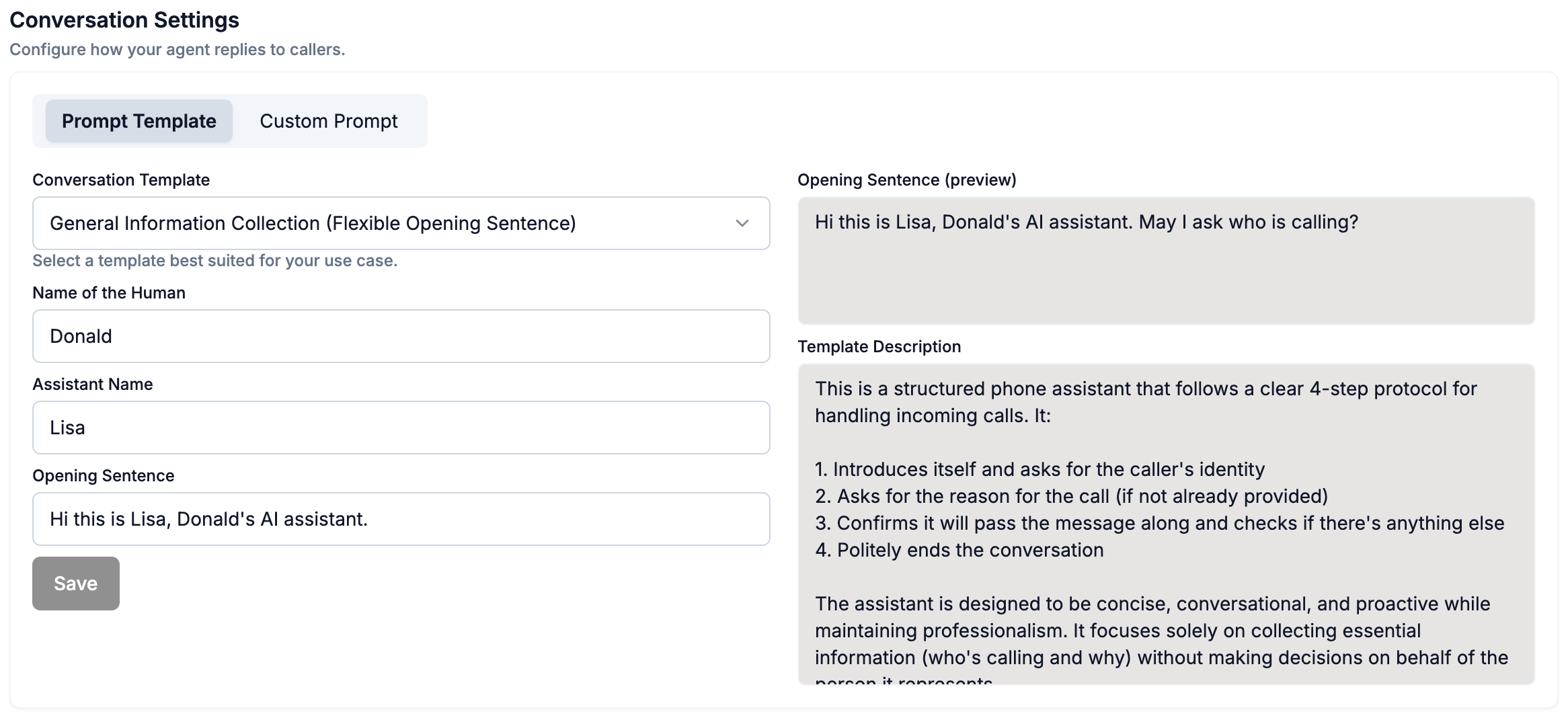
In the Prompt Templates section you can update:- One of three preset templates in the toggle down button
- Name of the Human (your name)
- The name of your AI agent
- The AI agent’s opening sentence (the same sentence is repeated across of every call picked up)
Custom Prompts
In the Custom Prompt section you have full control over:- The AI agent’s opening sentence
- The full conversation flow and instructions for how the AI agent picks up calls
- Optionally generate dynamic start sentences for each call, in similar nature to
Opening Sentence, and also include the caller’s name if pre-configured as a Contact.