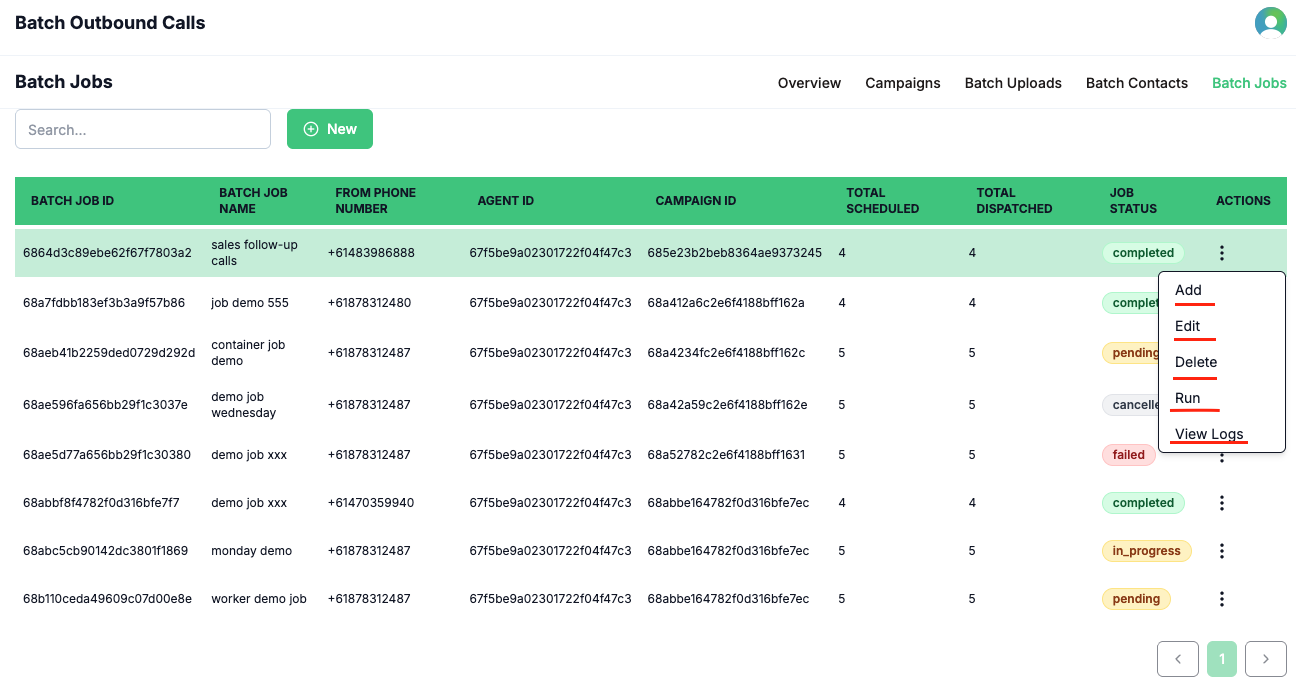
A Batch Job is the final step in launching a batch outbound call campaign. It brings together your selected campaign, agent, batch upload (list of contacts), and phone number to create and execute a coordinated batch calling operation. Batch jobs provide a clear overview of job status, management actions, and access to detailed reports. You can monitor the status of each running job via the job status field. The three-dot action menu for each job allows you to add, edit, delete, or run jobs. Once a job is completed, you can download a detailed job report using the View Logs option.Documentation Index
Fetch the complete documentation index at: https://docs.voqo.ai/llms.txt
Use this file to discover all available pages before exploring further.
How It Works
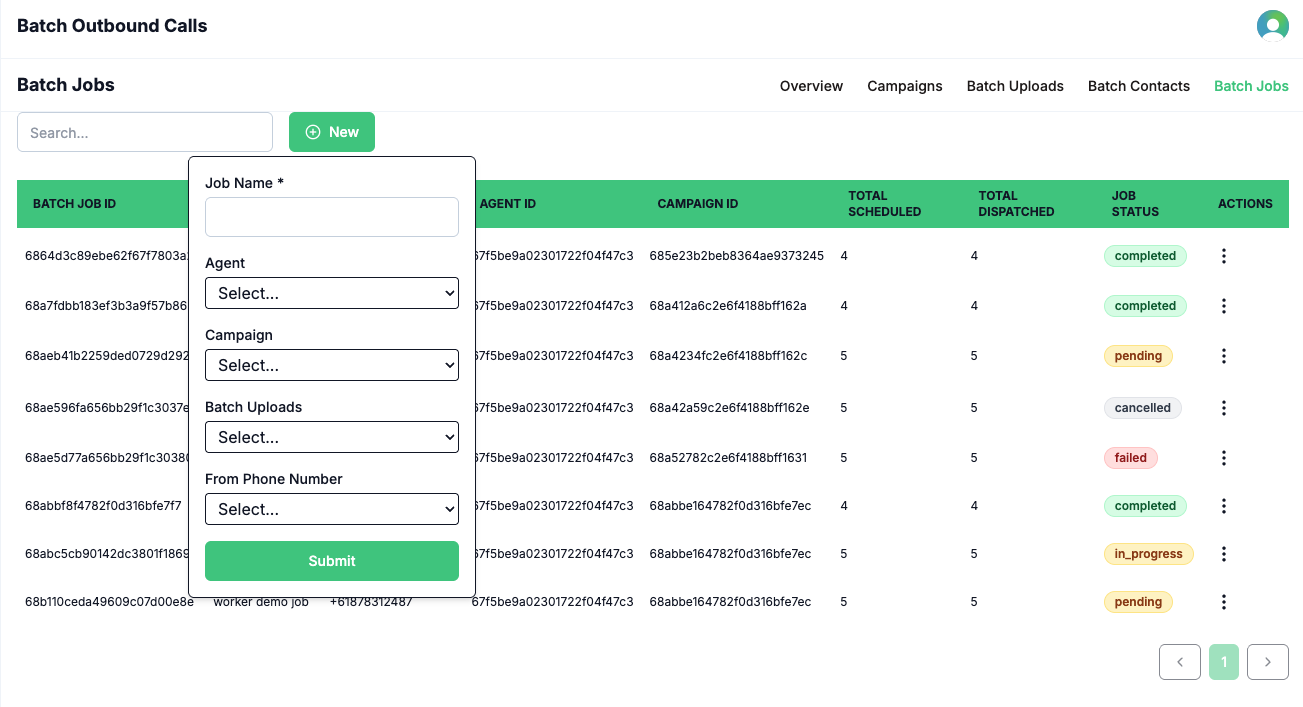
- Click the New Job button to start creating a batch job.
- Enter a name for your batch job.
- Select the agent you want to use for this batch call.
- Choose the campaign to associate with this job.
- Select the batch upload (list of contacts) for the job.
-
Select the phone number to initiate the batch calls.\
-
After the job is completed, download the job report by clicking View Logs.\