> ## Documentation Index
> Fetch the complete documentation index at: https://docs.voqo.ai/llms.txt
> Use this file to discover all available pages before exploring further.
# Conversation Prompts
> Choose from our preset templates or create your own prompt to control how your agent handles conversations with callers.
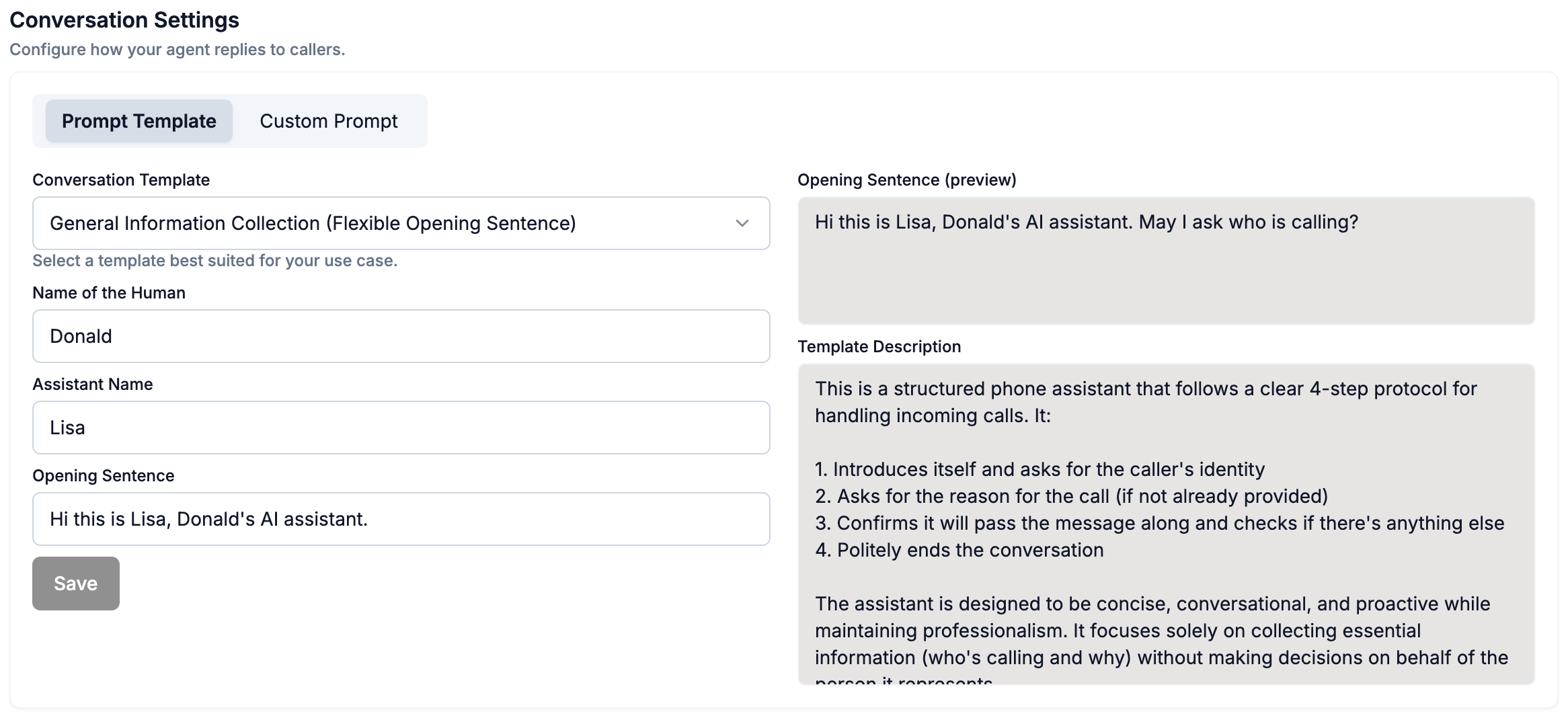
Open your agent and select the **Conversation** tab, where you can choose between the **Prompt Templates** and **Custom Prompt** options.
## Prompt Templates
In the Prompt Templates section you can update:
* One of three preset templates in the toggle down button
* Name of the Human (your name)
* The name of your AI agent
* The AI agent's opening sentence (the same sentence is repeated across of every call picked up)
## Custom Prompts
In the Custom Prompt section you have full control over:
* The AI agent's opening sentence
* The full conversation flow and instructions for how the AI agent picks up calls
* Optionally generate dynamic start sentences for each call, in similar nature to `Opening Sentence`, and also include the caller's name if pre-configured as a [Contact](add-and-update-contacts).
### Not sure where to start with custom prompts?
Try our [Magic Prompt Refiner](prompt-refiner) to quickly generate and refine effective prompts for your agent.
 ## Custom Prompts
In the Custom Prompt section you have full control over:
* The AI agent's opening sentence
* The full conversation flow and instructions for how the AI agent picks up calls
* Optionally generate dynamic start sentences for each call, in similar nature to `Opening Sentence`, and also include the caller's name if pre-configured as a [Contact](add-and-update-contacts).
### Not sure where to start with custom prompts?
Try our [Magic Prompt Refiner](prompt-refiner) to quickly generate and refine effective prompts for your agent.
## Custom Prompts
In the Custom Prompt section you have full control over:
* The AI agent's opening sentence
* The full conversation flow and instructions for how the AI agent picks up calls
* Optionally generate dynamic start sentences for each call, in similar nature to `Opening Sentence`, and also include the caller's name if pre-configured as a [Contact](add-and-update-contacts).
### Not sure where to start with custom prompts?
Try our [Magic Prompt Refiner](prompt-refiner) to quickly generate and refine effective prompts for your agent.